April 2026 Release #
Workrooms – Phase III
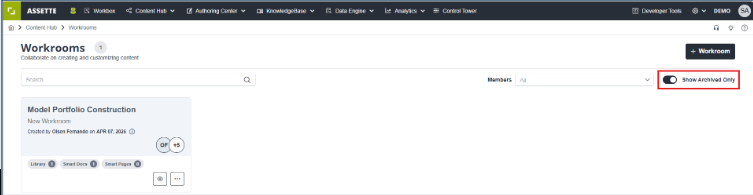
The Users now have the ability to close/archive a workroom without deleting its content. They are also able to add new user groups to an existing workroom.
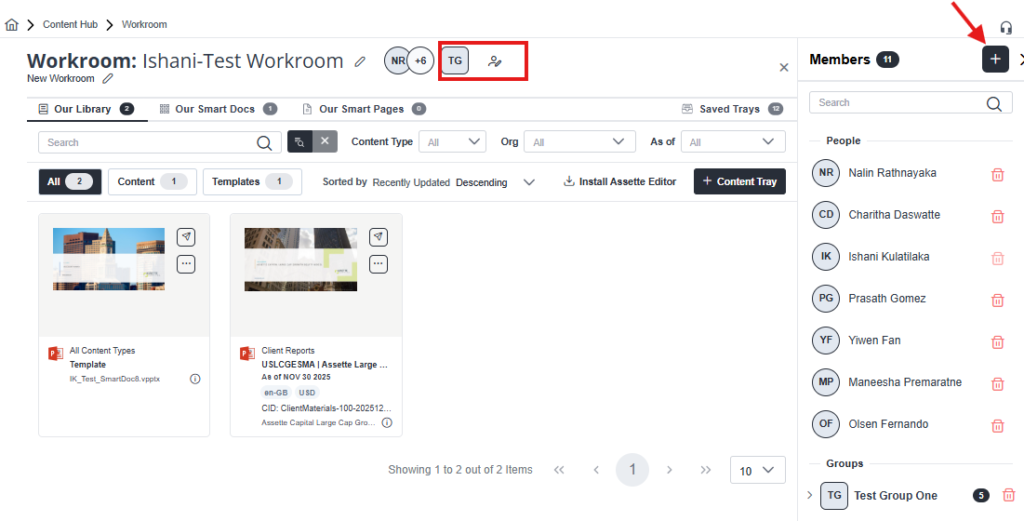
To edit a workroom, click on the pencil icon next to the User. From here you can add members or groups to your workroom.
Workflow Audit Trail
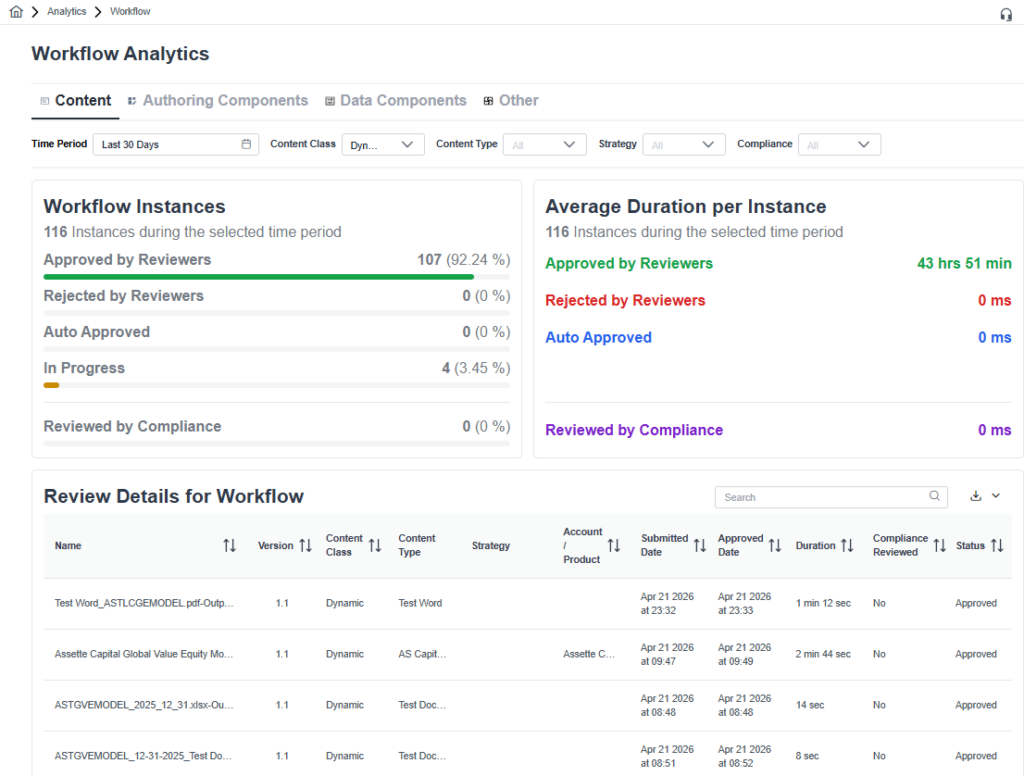
Workflow Audit Trail provides the Audit Teams the ability to download Audit information on all workflow activities as an EXCEL/CSV file. You may access this feature directly via the Workflow Analytics Menu. Filtering options are available by selecting the time period, content class/type etc.
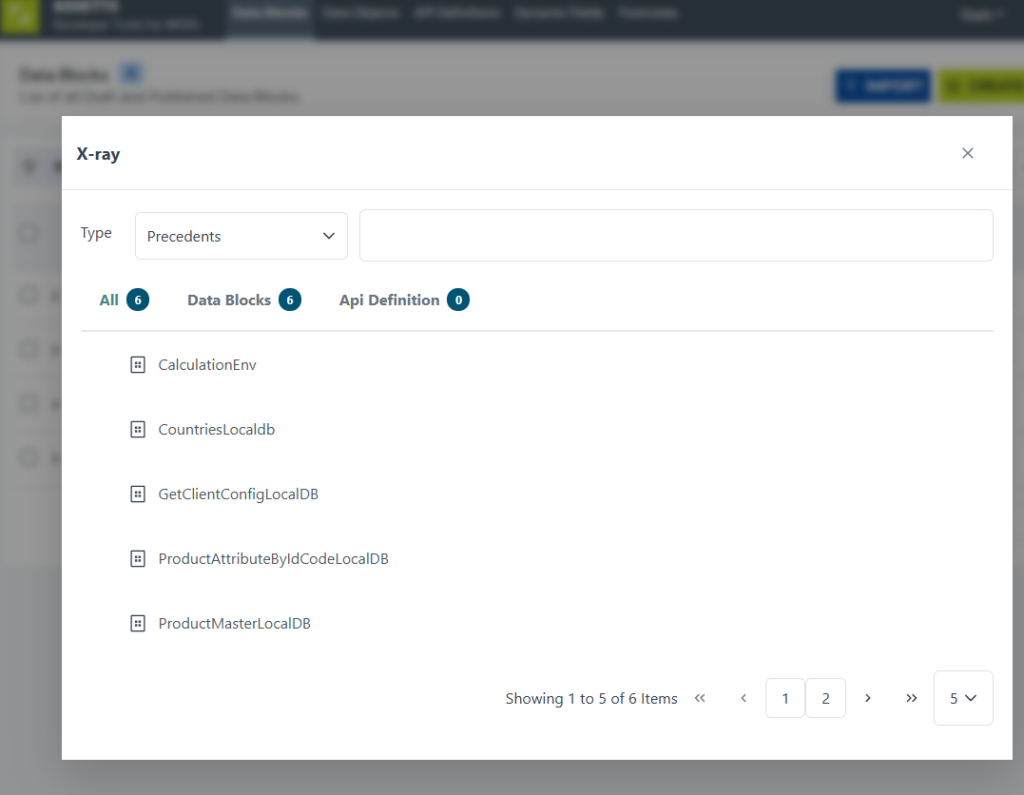
Improved X‑ray Load Performance
X‑ray loading has been optimized for large smart docs, to improve speed and responsiveness. Users should experience faster access to X‑ray views and smoother overall interaction.
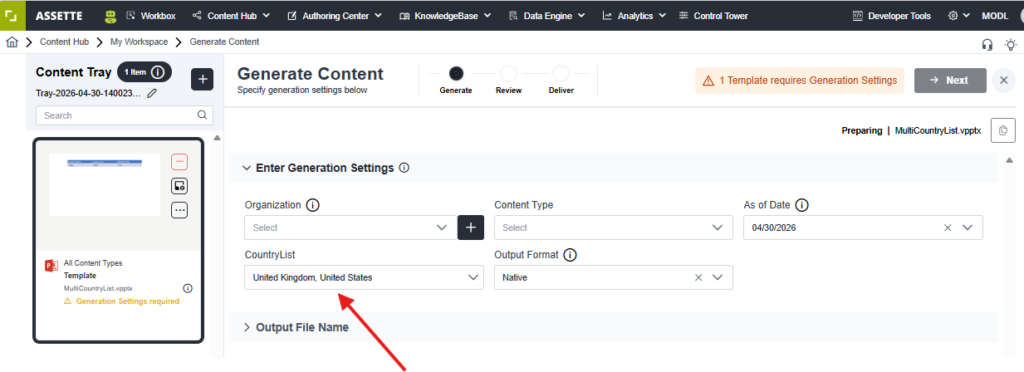
Multi‑Select Generation Time Parameters
Generation time parameters now support multiselecting, allowing users to choose multiple Jurisdiction Groups and Countries of Distribution during pack generation. These selections are applied across the entire pack and are available to all relevant content, blocks, and objects in a consistent format.
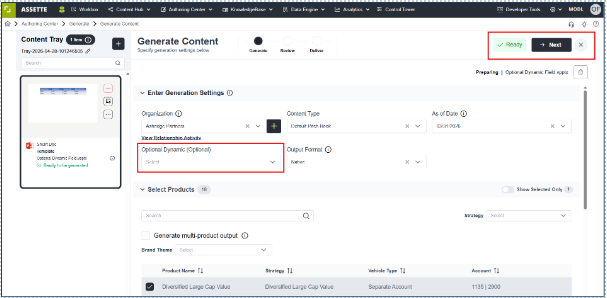
Optional Dynamic Fields (All BYOD)
Dynamic fields can now be configured as optional. These are the fields that you configured using Data Blocks in the initial stages. This provides greater flexibility during document generation and prevents unnecessary failures when certain data elements are not required.
Download Files Even When Some Pages Fail
Generated files are now available for download even if some pages encounter errors during processing. Successfully generated content is preserved, allowing users to proceed without rerunning the entire job.
Other Enhancements & Improvements
Interface Data Blocks for Excel Files #
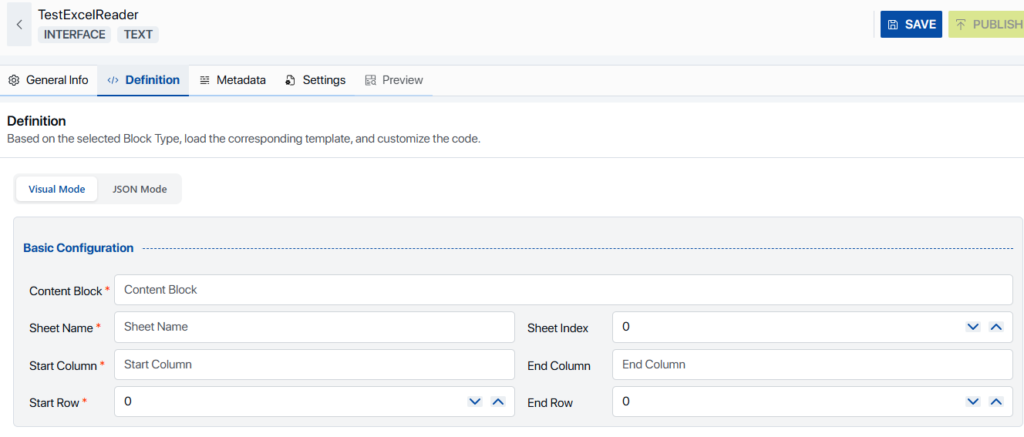
The Developer Tools interface now includes improved capabilities for defining and managing Interface Data Blocks for Excel Files, simplifying configuration, and supporting faster implementation.
The goal is to make the definition tab easier for non-technical users instead of writing JSON manually by toggling the tabs shown below.
Smart Document Customization Enhancements #
- Library Customization: Smart Documents can now be customized directly within the library for streamlined management and reuse.
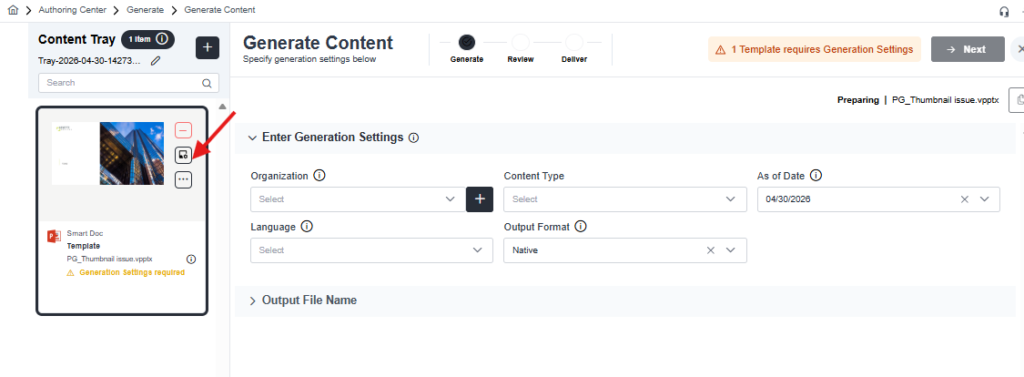
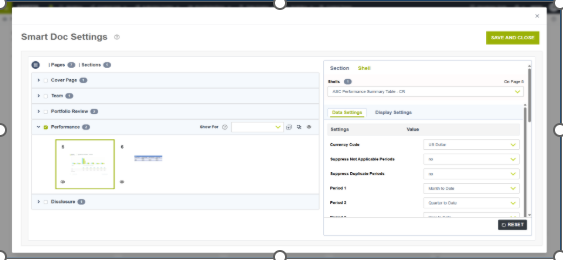
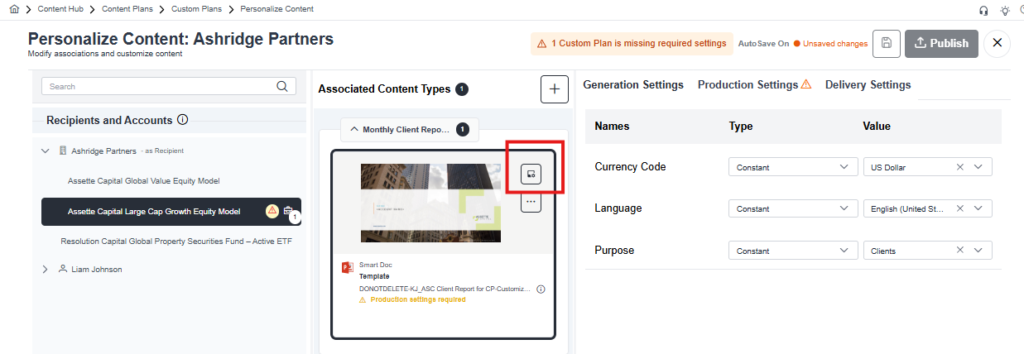
- Content Plan Customization: Smart Document customization is also extended to Content Plans, enabling more precise control over document structure and content behavior.
Enhanced Template Association Options #
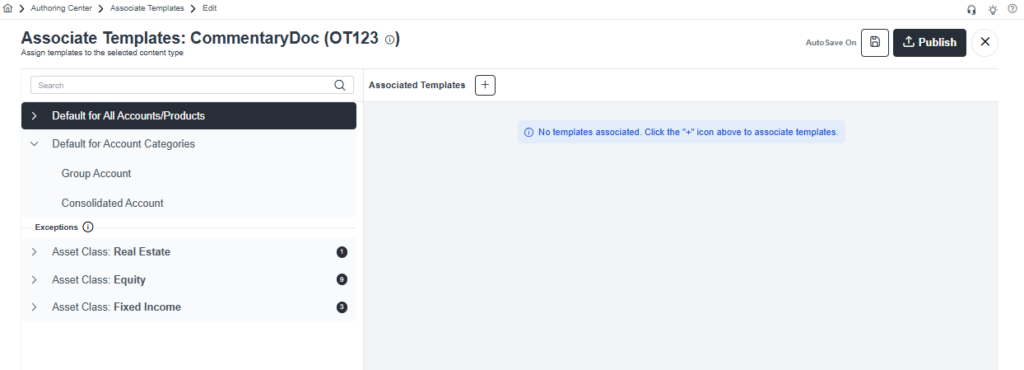
The Associated Template screen now supports Composite‑Consolidated‑Group configurations, making it easier to manage templates for complex reporting structures.
Classification Life Event History #
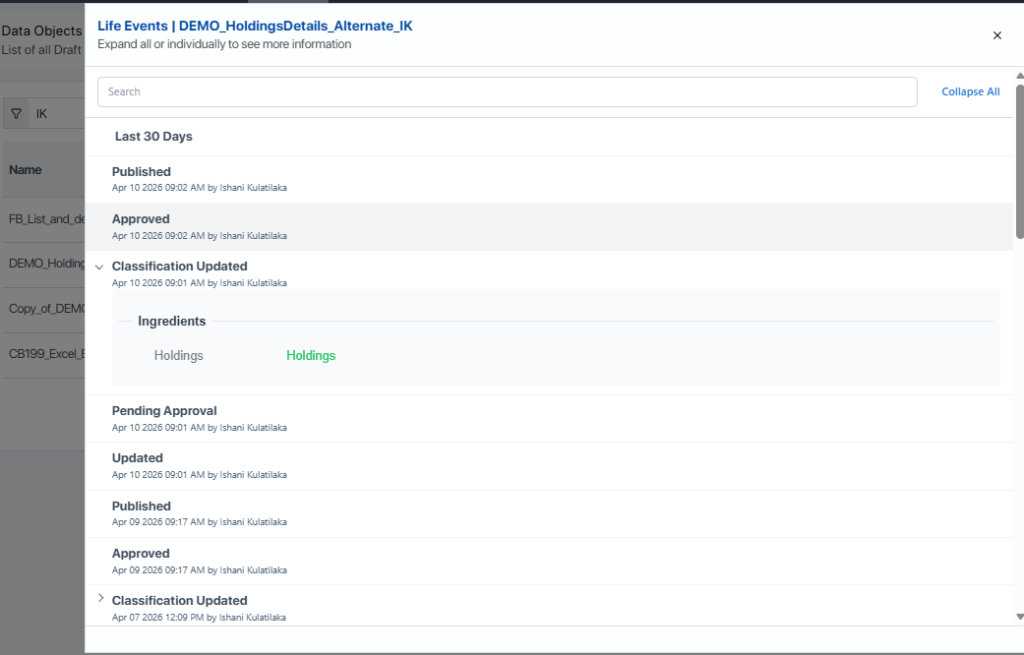
Users can now view the classification history within the life events feature for Data Objects.
Expanded Chart Support in Microsoft Word #
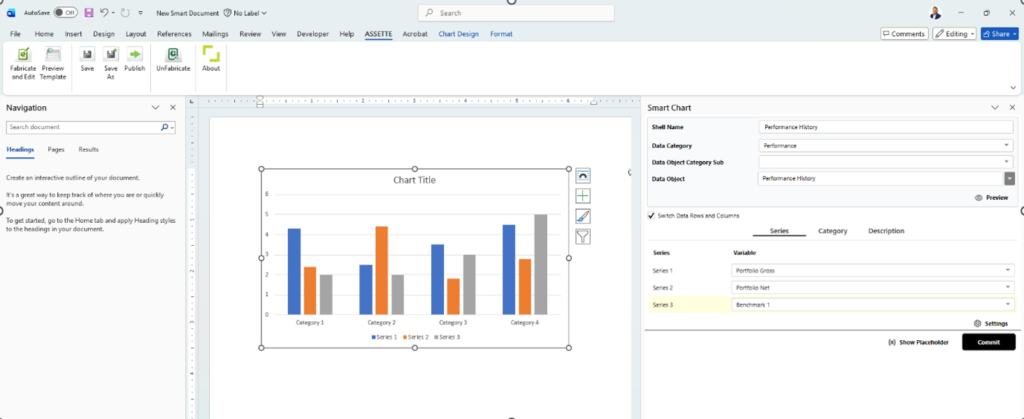
Microsoft Word outputs now support all chart types previously available in PowerPoint, ensuring consistent chart rendering across document formats.
Flexible FTP Delivery Options #
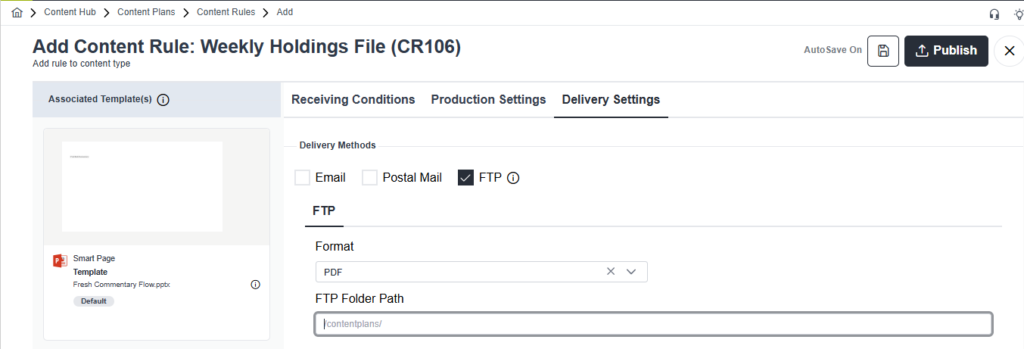
Reports can now be delivered to a single FTP site while being placed into different folders. This supports centralized delivery while maintaining organized distribution by report type or purpose.
Metadata Support for Word and Excel
Documents generated in Microsoft Word and Microsoft Excel now include populated metadata, improving document management, searchability, and integration with downstream systems.
Improved Job Status Visibility
Job screens now display both start and end times, providing clearer visibility into processing duration and supporting easier troubleshooting.
Clearer Workflow Separation
Separate workflows are now used for fixed content approvals and input file uploads, improving clarity, governance, and overall process management.
Improved Compatibility with Third‑Party Add‑ins
An issue causing conflicts between the FactSet Add‑in and the Assette Add‑in has been resolved, ensuring improved stability when both are in use.
Excel based RFPs
Adds support for Excel-based RFP questionnaires, allowing users to import, respond to, and manage RFPs delivered in Excel format alongside existing document types.
Excel Editor Enhancements
This release has expanded editing capabilities and improved fidelity for working with Excel content directly inside the platform. No external roundtrips to Microsoft Excel required.
Content Rules -Batch Group
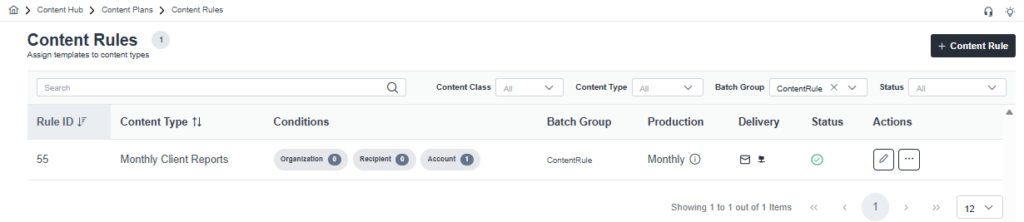
The Content Rules will now have added functionality to filter and display Batch Groups.